

Webo98 Payment Guide for Deposits, Withdrawals, and Payout Methods
A cashier page can look simple at first, but the real differences show up in limits, speed, and approval steps. This guide explains Webo98 Payment, Webo98 Deposit, and Webo98 Withdrawal so you know what usually happens before and after a transaction. It is meant to help you read the process with fewer surprises. The focus is practical, so you can compare the steps instead of guessing what the screen means.
If you want a clearer picture of Webo98 Withdrawal Time, supported Webo98 Methods, and how Webo98 Payout requests are handled, this page walks through the main checkpoints. The aim is to help you understand the process before you add funds or request a cash-out. You will also see where verification can slow things down and where a payment route is usually fastest. That makes the cashier easier to use with more confidence.
How Webo98 Deposit Options Work for New Players

A new Webo98 Deposit usually starts with the cashier showing the payment routes available in your region and account setup. A Webo98 Payment can clear instantly, or it can wait for a processor check before the balance appears. Some Webo98 Methods are designed for quick top-ups, while others are better for larger transfers with more verification. Checking the minimum amount, currency, and any fee note before you confirm saves a lot of guesswork.
What should you check before the first transfer?
A first Webo98 Deposit should start with the minimum amount, any fee notice, and the name on the funding account. If the cashier shows several rails, compare them before you choose one, because the fastest option is not always the cheapest. Matching the currency and region settings can prevent a rejected Webo98 Payment. If the numbers on screen do not line up with your budget, stop before submitting.
It also helps to read the processing note attached to the method, since some Webo98 Methods confirm instantly while others only clear after bank hours. Players often overlook simple details like a reference code or a one-time confirmation step. Those small checks matter because they can decide whether the Webo98 Deposit appears immediately or needs manual review.
What if the deposit does not show immediately?
A delay does not always mean the Webo98 Deposit failed, because some payment routes wait for the processor to report back. Check whether the cashier says 'pending', 'processing', or 'approved' before you send the amount again. Repeating the same Webo98 Payment too quickly can create duplicates that take longer to untangle. If a receipt or transaction ID is available, keep it ready.
If the status stays unchanged for longer than the stated window, compare your bank or wallet record with the cashier entry. That is often enough to see whether the money left the account or only reserved temporarily through the Webo98 Methods system. Support teams usually ask for the exact time, amount, and reference number, so having those details speeds up the follow-up.
A short Webo98 Deposit checklist helps new players avoid avoidable cashier errors.
- Confirm the minimum amount and any limit shown for your chosen Webo98 Payment method.
- Check that the account name and payment details match before you submit the Webo98 Deposit.
- Keep the confirmation screen or receipt in case the cashier needs a reference for your Webo98 Methods choice.
- Wait for the status to change before trying a second transfer, because duplicate deposits can complicate Webo98 Payment tracking.
If anything looks inconsistent, pause and re-check the cashier details so the Webo98 Deposit is recorded cleanly.
Webo98 Withdrawal Time and Processing Expectations for Account Holders

A Webo98 Withdrawal is usually slower than a deposit because the platform has to check balance, settlement, and account ownership before money moves out. The most useful number to watch is the posted Webo98 Withdrawal Time, but that estimate can change with weekends, bank cut-offs, and verification status. A request that looks simple on the screen may still pass through a queue before it reaches the payment provider. That is why players should expect a short review period even when the Webo98 Payout itself is straightforward. Learn more about Webo98 Casino.
Why is a withdrawal still pending?
A pending Webo98 Withdrawal usually means the cashier has accepted the request but has not finished the internal checks. The queue can include balance confirmation, bonus rule checks, and basic ownership review before the payout is sent onward. If the account was recently updated, the review can take longer than the usual Webo98 Withdrawal Time. That is normal for many platforms and does not always signal a problem.
The key is to check whether the status changed from pending to approved, rejected, or waiting for documents. A clean Webo98 Payout flow often depends on that status label more than on the clock alone. If nothing changes for a long period, the account may simply need a verification step before the next transfer can move.
How long do approved withdrawals usually take?
Once approved, the Webo98 Withdrawal Time depends on the method chosen for the transfer. E-wallet style payouts can move faster than bank transfers, while cards may need extra settlement time after approval. A same-day Webo98 Payout is possible in some cases, but it is not something to assume automatically. The exact timing often depends on the provider's working hours and cut-off rules.
Players should also remember that weekends and public holidays can slow a Webo98 Withdrawal even after the platform has done its part. If the bank or wallet sits outside the platform's usual processing window, the money may not arrive until the next business cycle. Keeping a record of the approval time makes it easier to compare the stated Webo98 Withdrawal Time with the actual transfer.
Available Webo98 Methods for Secure Payments and Transfers
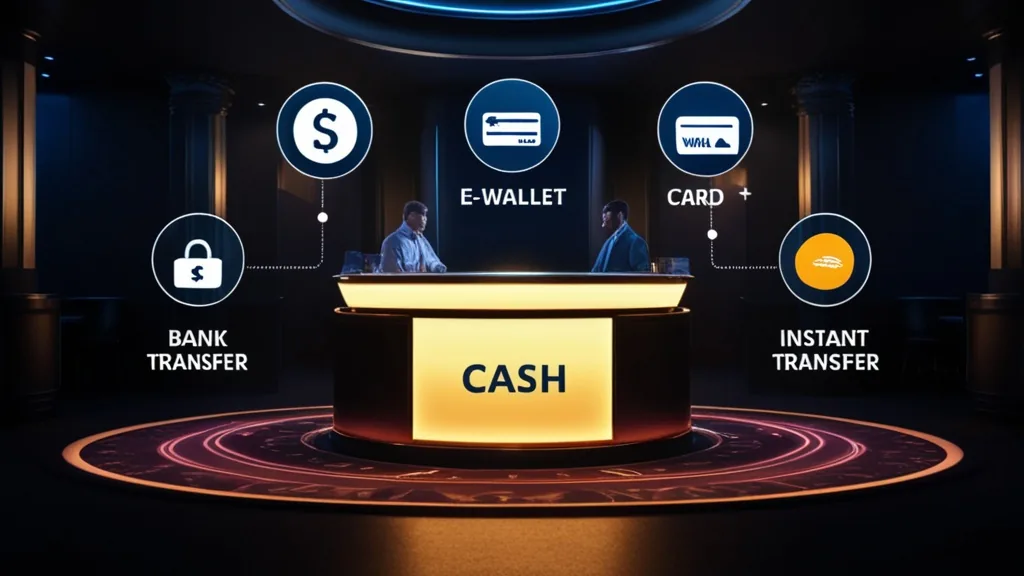
The cashier usually lists Webo98 Methods by speed, availability, or account limits rather than by brand name alone. That makes it easier to compare a Webo98 Payment route for deposits with the route you might use later for cash-outs. In practice, the best option is often the one that matches your region, verification status, and preferred timeline. A method that looks ordinary on the surface can still behave very differently once a Webo98 Deposit or payout begins.
Which methods feel safest for routine use?
For routine use, the safest Webo98 Payment route is usually the one that keeps the owner name and account details consistent from start to finish. That reduces mismatch checks and makes support follow-up easier if something stalls. Many players prefer Webo98 Methods that show clear confirmation screens and a visible transaction ID. Clear records matter more than fancy branding when money is moving.
If you move small amounts often, look for a method with simple limits and predictable processing notes. A consistent Webo98 Deposit path is often less frustrating than a method that changes rules from one transfer to the next. The goal is not just speed, but a payment trail that the cashier can verify without extra questions.
How do different methods compare on speed?
Speed is where Webo98 Methods diverge the most, because each provider handles settlement differently. Bank transfers can be reliable but slower, while wallet-based Webo98 Payment routes are often quicker once the account is verified. Card systems may sit somewhere in the middle depending on the issuer and the region. That is why a deposit that looks instant in one country may take longer in another.
When you compare options, think about the full path instead of the first screen alone. A quick Webo98 Deposit is helpful, but a delayed withdrawal can matter more if you plan to cash out soon. Looking at both directions gives a better picture of which method actually fits your play style.
A few simple checks make Webo98 Methods easier to use safely, especially when you move between deposits and withdrawals.
- Use the same name on your payment account and casino profile whenever possible.
- Double-check whether the method supports both Webo98 Payment deposits and cash-outs.
- Avoid sending money from shared accounts if the cashier expects a single verified owner.
- Save the reference number so support can locate the transfer faster if needed.
These checks do not guarantee instant approval, but they usually reduce friction across Webo98 Deposit and withdrawal requests.
| Method | Typical use | Speed after submission | Notes |
|---|---|---|---|
| Bank transfer | Larger deposits and withdrawals | Same day to 1-3 business days | Can be affected by bank cut-off times and verification |
| Card payment | Small to medium deposits | Often instant for deposits | Withdrawals may not always return to the same card |
| E-wallet | Fast deposits and cash-outs | Minutes to a few hours | Usually easier after account verification |
| Instant transfer | Quick top-ups | Near instant | Availability varies by region and provider |
| Voucher or prepaid code | Controlled spending | Instant to a few minutes | Often deposit-only and may not support withdrawals |
Webo98 Payout Steps After Winning or Completing Bets

After a win or settled bet, the cashier usually waits for the game result to lock before it opens a Webo98 Payout request. That matters because a Webo98 Withdrawal cannot move cleanly until the final balance is confirmed and any bonus restrictions are cleared. The approval queue can be short, but it still depends on the amount, method, and account history. If you understand the order of steps, the posted Webo98 Withdrawal Time makes more sense.
What happens after you request a payout?
The first step is a status change from request submitted to pending review for the Webo98 Payout. At that point the cashier checks whether the balance is eligible and whether the chosen method can receive funds. A Webo98 Withdrawal request may also be paused if the account needs ownership confirmation. Those checks are there to keep transfers consistent, not just to slow them down.
If the request passes review, the status normally shifts to approved or processing, and the transfer leaves the platform's queue. The visible Webo98 Withdrawal Time from that point depends on the banking rail, not only on the site itself. Keeping the request open until approval helps avoid mistakes like duplicate submissions.
How do you reduce payout delays?
The easiest way to reduce Webo98 Payout delays is to keep your profile details current before you request money. If the account name, payment owner, and verification documents match, there are fewer reasons for the cashier to stop the transfer. A smooth Webo98 Withdrawal also depends on using a method that can accept the size of the payout without extra manual review. Small mismatches can add hours.
It also helps to avoid changing devices, payment routes, or personal details immediately before cashing out. Those sudden changes can extend the stated Webo98 Withdrawal Time because they may trigger a fresh check. When possible, let the same verified Webo98 Payout route handle both your deposit and withdrawal history.
Common Webo98 Payment Issues and Account Verification Checks
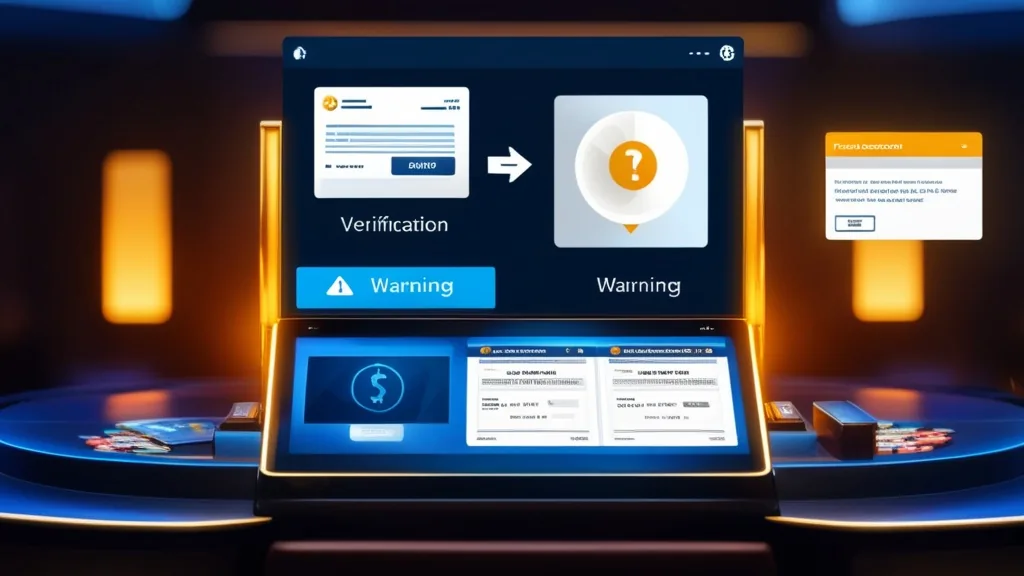
Most payment problems start with a mismatch between the account profile and the funding method, not with the money itself. A failed Webo98 Payment can also come from a provider outage, a missing document, or a Webo98 Withdrawal being blocked until verification is complete. That is why the cashier and the support inbox usually ask for timestamps, amounts, and reference numbers. Simple records make it much easier to trace a Webo98 Deposit or cash-out that seems to vanish.
Which verification documents are usually requested?
A Webo98 Payment review usually asks for a basic identity document, proof of address, or a screenshot showing ownership of the funding method. Not every account needs the same files, but the name and details should match what is already on the profile. A Webo98 Withdrawal can be held until those checks are complete. The goal is to prove that the payment source and the account belong together.
If the cashier asks for verification, send clear images and avoid cropped or edited files. Blurry documents can lengthen the Webo98 Withdrawal Time because the support team may need to ask again. A complete submission usually moves faster than a series of partial uploads. Keeping your records ready also helps if the team needs to compare the Webo98 Deposit history with the withdrawal request.
What should you do if a transaction fails?
When a Webo98 Deposit or cash-out fails, the first step is to check whether the money left the bank or wallet. If it did, the next move is to keep the transaction ID and the exact time, because that helps the cashier trace the Webo98 Payment across the processor. If the amount never left your account, retrying may be unnecessary until the original status is clear. That saves time and avoids duplicate charges.
If the transfer disappeared from the screen but not from your statement, wait for the posted processing window before opening a second request. A patient Webo98 Withdrawal follow-up often works better than repeated submissions, which can create confusion. If the issue persists beyond the stated timeframe, contact support with the method name, the amount, and any reference code so the team can check the Webo98 Methods route directly.
When a transfer stalls, a quick Webo98 Payment checklist can tell you whether the issue is local or platform-side.
- Confirm that the account name matches the payment owner and that the method is still supported.
- Check whether the balance was debited before retrying the Webo98 Withdrawal.
- Look for a pending, approved, or failed label in the cashier rather than assuming the transfer was lost.
- Keep the transaction ID, amount, and time ready for support if the Webo98 Deposit needs tracing.
These checks are simple, but they often narrow down which Webo98 Methods team or provider needs to look at first.